Anika Bajaj
· Updated 24 Jun 2025 · 3 min read
On this page
Why do I need this extension?
- This extension will provide you with a sitemap, which, once plugged in via Google Search Console or any other search engine dashboard, will be used by the respective search engine to crawl and index your website.
- This extension will also help you programmatically optimize your page title, meta description(s), and meta keywords of your home, category, brand, tag, and product pages. This will help you rank your website higher with increasing relevance with keywords present on the internet.
Prerequisites?
There are no prerequisites required to run this extension for your website.
Where do I find SEO settings on Zopping?
- Go to Marketing > SEO.
- There is nothing to install: SEO settings are built into your admin
How can I Implement SEO for my online store’s web pages?
- Go to Marketing > SEO.
- On the SEO page you will see four tabs: Meta content, Sitemap configuration, Robots.txt and GEO. Meta content has a section for each kind of page, starting with the Home page. We will walk you through how to add SEO content for each.
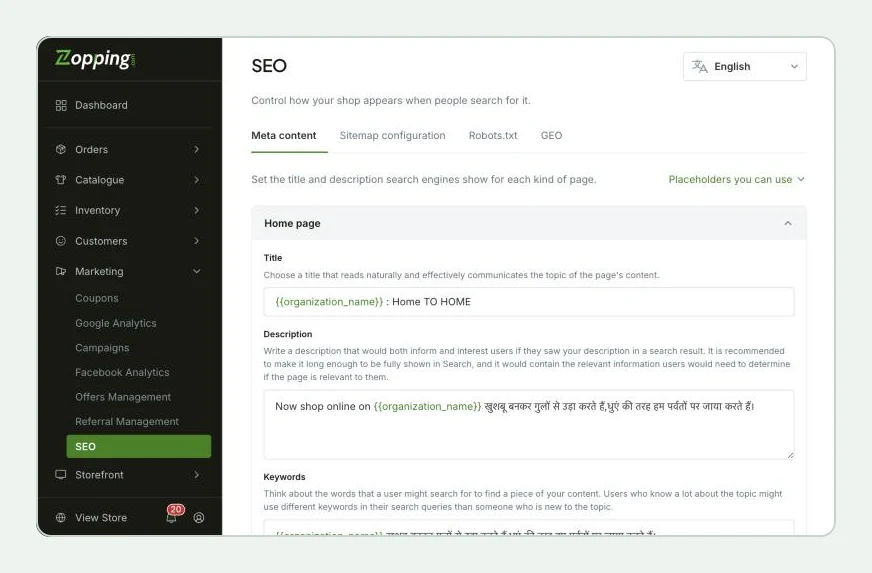
- In the Home page section, you will notice that a template has been provided as shown above. The variable names mentioned within the brackets will be automatically replaced by relevant information on your website. For eg, the variable {organization_name} will get replaced by your online store’s name.
- You can also add static texts in addition to these variable placeholders as shown below.
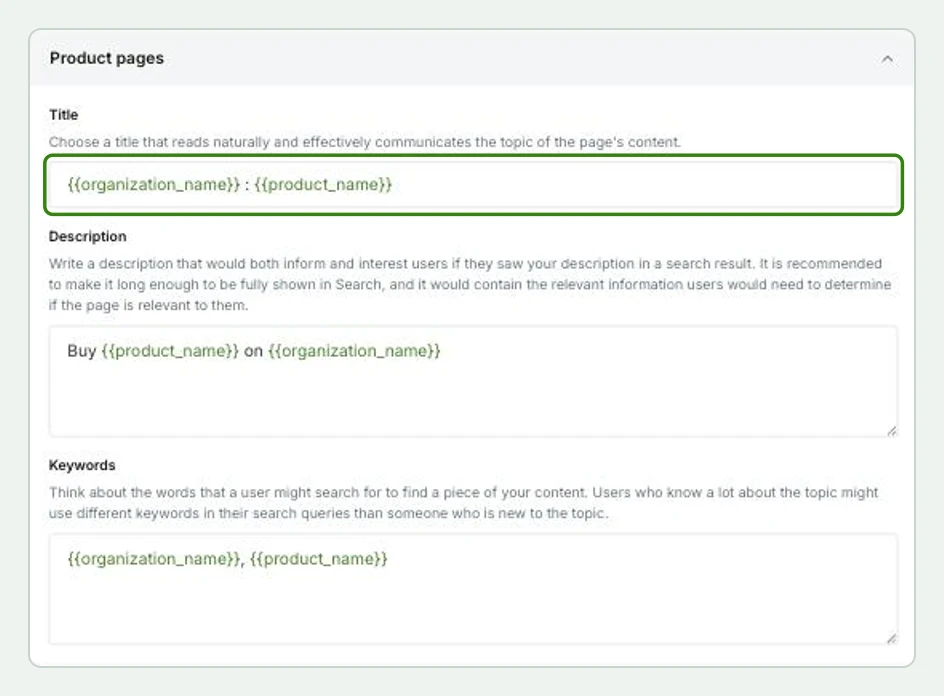
- Similarly, you can do the same for Product, Category, Tag, and Brand pages. The variable placeholders for the same will vary accordingly. Refer to the list below to check relevance-.
- {{product_name}}, will fetch info of the relevant product name.
- {{brand_name}}, will fetch info of the relevant brand name.
- {{category_name}}, will fetch info of the relevant category name.
- {{tag_name}}, will fetch info of relevant tags.
- {{organization_name}}, will fetch your online store’s name.
- Please note that the Tag and Brand pages will only show up if the following two extensions are installed respectively-
- Product Tag Support Extension for Tags.
- Brand Support Extension for Brand.
- To know more about keyword specificity and how to write the meta descriptions for these pages, please visit the SEO Starter Guide from Google.
Sitemap?
- A sitemap is a file or web page that provides a list of all the pages and content on a website. It serves as a structured map of the website, making it easier for search engines and users to navigate and understand the site’s organization.
- It is a valuable tool for online stores as it aids in search engine optimization, and ensures all pages are crawled and indexed. It’s an essential component of an e-commerce site’s SEO strategy.
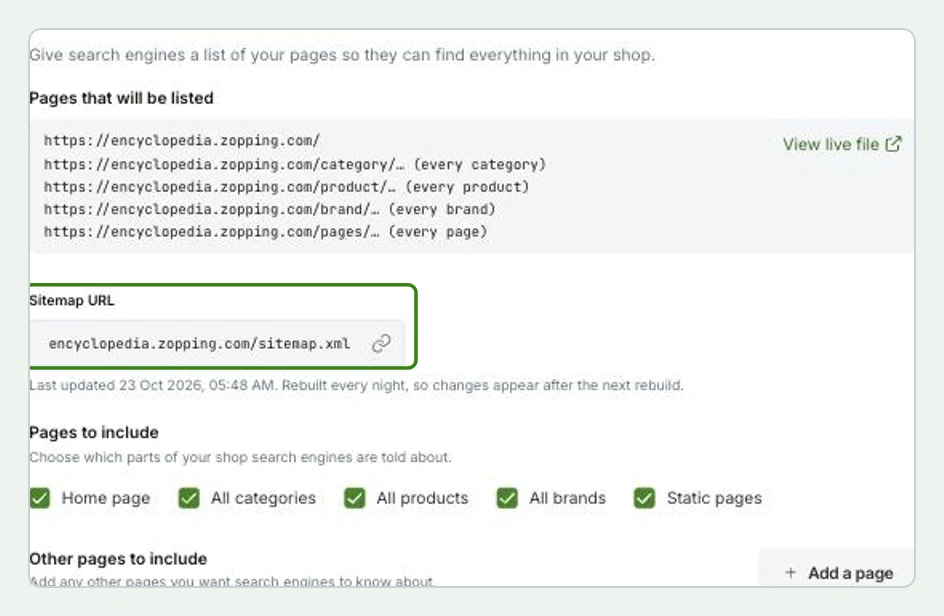
- In the Sitemap configuration tab, copy the sitemap URL for your online store that is shown below and register the same with Google Search Console. To know more, refer here
How will this change affect my website?
- When your customer searches your online store on any search engine, they will see the website links as shown.
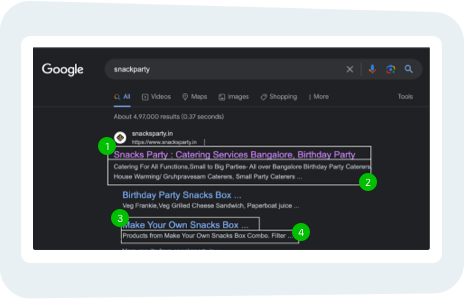
- Custom Page Title.
- Custom Meta Description.
- Custom Product/ Categories/ Brand/ Tag Title.
- Relevant Product/ Categories/ Brand/ Tag meta description.
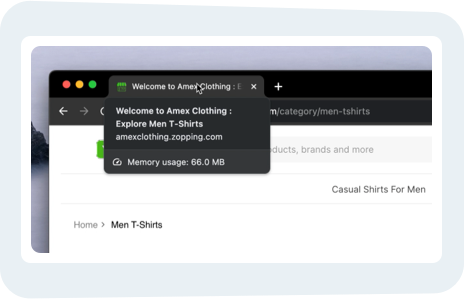
- When the user adds a custom product/ category title, the title of the corresponding webpages of relevant products/ categories will be visible as shown below to the customer.
What happens when I uninstall this extension?
- All SEO tags and descriptions for your online store web pages will be removed.
Share this article